
Case Study / AI Content Generation Tool
KichLab
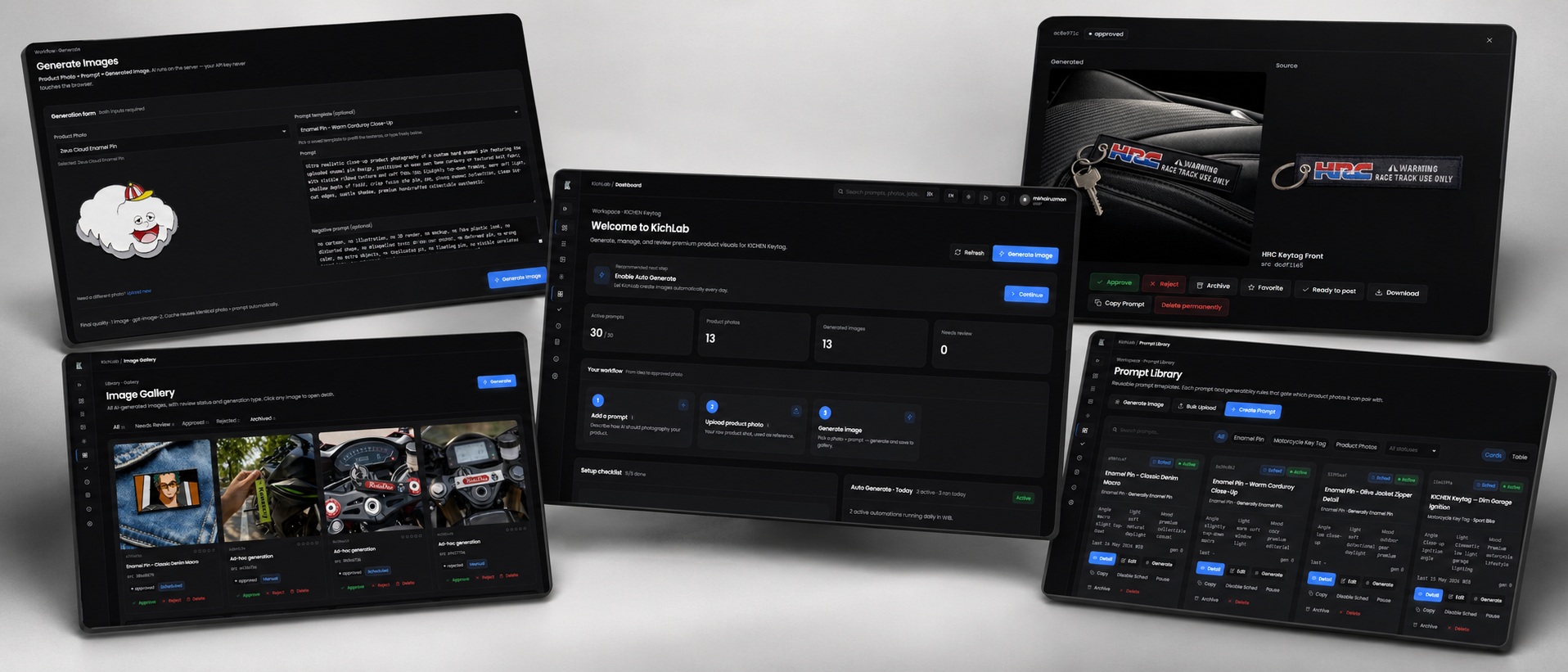
An AI-powered creative automation tool designed to help business owners generate product content automatically through prompt libraries, category-based workflows, and scheduled AutoGeneration.
Category
AI Content Generation Tool
Role
Product Designer / UI Direction / AI Workflow Designer
Tools
Next.js, TypeScript, Tailwind CSS, Supabase
Year
2026
Project Type
AI Creative Automation / Web App
Status
Hidden / Personal Project
Project Overview
Overview
KichLab helps business owners create product content more efficiently by combining prompt management, AI image generation, scheduling, and content review into one focused dashboard.
Product Context
Where the concept fits
Many small business owners need consistent product visuals for social media, online stores, and promotional content, but creating content manually can be repetitive, time-consuming, and difficult to scale. KichLab provides a structured AutoGeneration workflow so users can prepare prompts once, schedule them, and generate product content more consistently.
Problem
The field workflow gap
Creating product content manually requires repeated ideation, prompt writing, image generation, review, and organization. For business owners, this process can take too much time and often results in inconsistent visual direction across campaigns or product categories.
Role
What I handled
Responsible for defining the product concept, dashboard structure, user flow, AutoGeneration workflow, prompt library system, visual direction, and feature requirements.
I shaped KichLab as an AI workflow product for business users, focusing on how prompt preparation, generation scheduling, and output review can work together in one operational dashboard.
Product / Design Process
How the AI workflow was shaped
Mapped the recurring content creation workflow around prompt writing, image generation, review, acceptance, rejection, and library organization.
Structured the dashboard around prompt libraries, category-based workflows, scheduler status, and generated result monitoring.
Defined AutoGeneration behavior so users can activate selected prompts and reduce repetitive manual generation work.
Solution
The product direction
KichLab simplifies the product content workflow by allowing users to manage prompt libraries, organize prompts by category and subcategory, enable scheduled AutoGeneration, review generated results, and maintain a cleaner content library.
Target Users
Who it supports
Use Cases
What users can do
Key Features
What the experience includes
Design Approach
Mobile-first operational clarity
The interface is designed as an operational dashboard for AI-powered content generation. The goal is to make prompt management, scheduling, generation, and review simple enough for business users, not only technical users.
Design Decisions
Why the interface is structured this way
01
Dashboard-first structure
The dashboard gives users a quick overview of prompt libraries, AutoGeneration activity, scheduler status, and generated results.
02
Structured prompt system
Prompt data is organized into clear fields such as category, subcategory, product type, material, design placeholder, camera angle, environment, lighting, mood, composition, and negative prompt.
03
Category-based workflow
Prompts are grouped by category and subcategory so users can manage different product content directions more consistently.
04
AutoGeneration scheduler
Users can activate selected prompts and schedule automatic generation, reducing the need to manually run the same prompt every day.
05
Review-based output flow
Generated results can be reviewed, accepted, or rejected so the content library stays cleaner and easier to manage.
Tools
Tools & Technologies
Frontend
Backend / Database
Deployment
Design
AI Assistance
AI / Content Generation
Impact
Outcome
KichLab helps business owners reduce repetitive content creation tasks, generate product visuals more consistently, and manage AI-generated outputs in a more organized way. It turns content generation from a manual one-by-one process into a structured AutoGeneration workflow.
Other Projects
More selected work
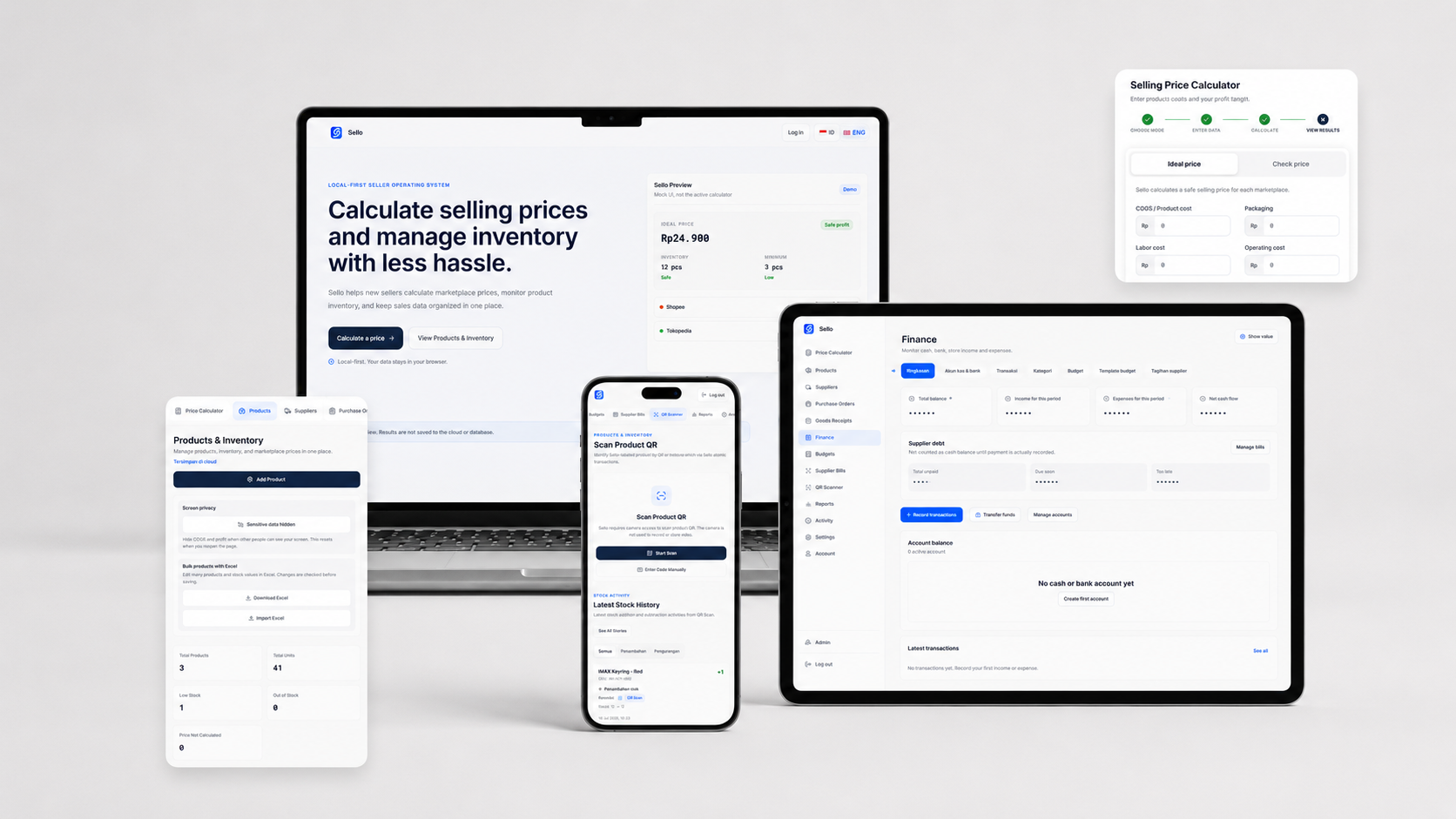
Product Design · Full-Stack Development
Sello — Seller Operations System
A lightweight, cloud-based Seller Operations System for Indonesian online sellers.
View Case Study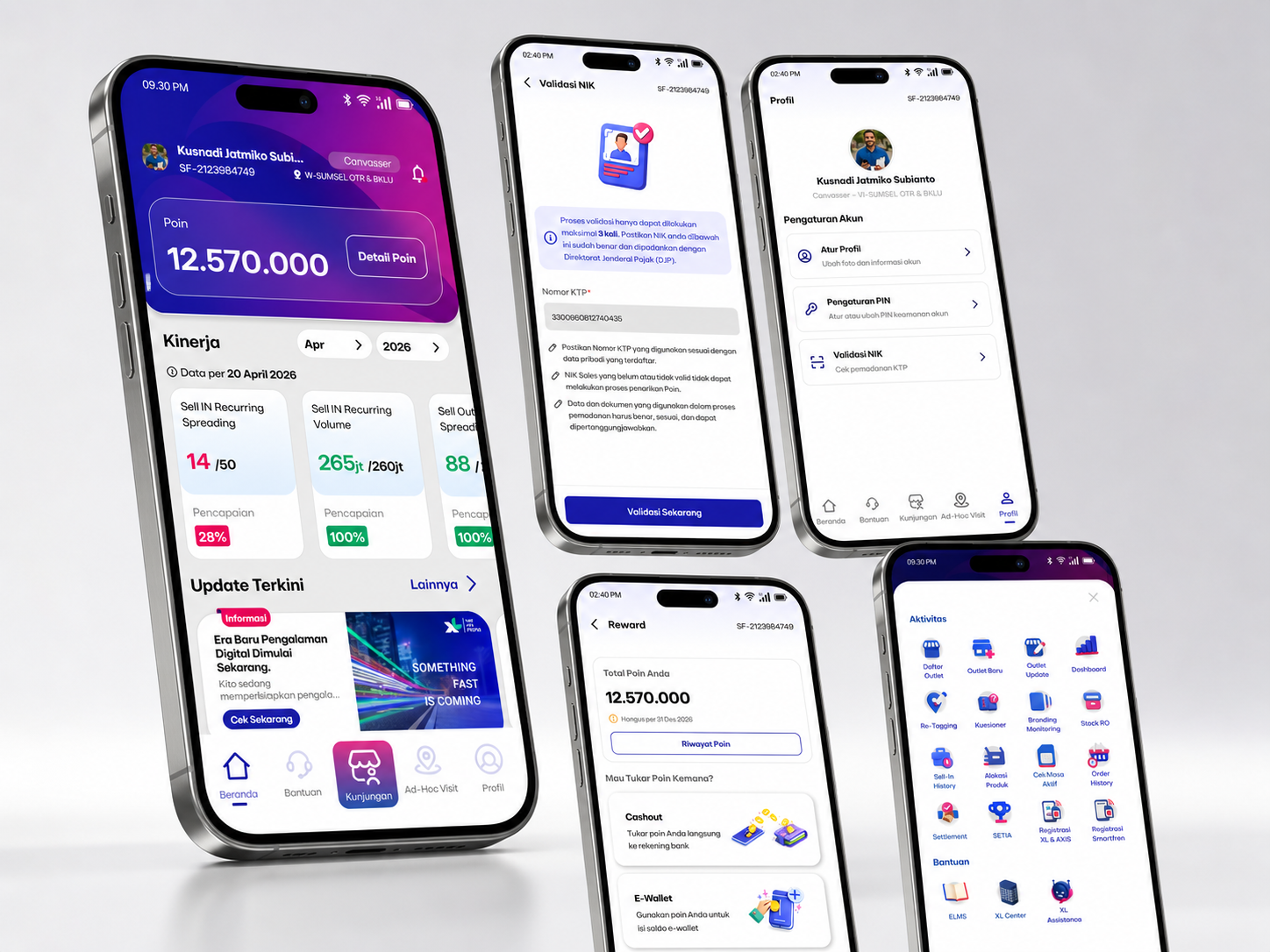
Field Sales Operations App
OWS Drive
A mobile-first operations dashboard designed to help telco field and internal teams access performance, points, updates, service shortcuts, and daily activity context in one simple interface.
View Case Study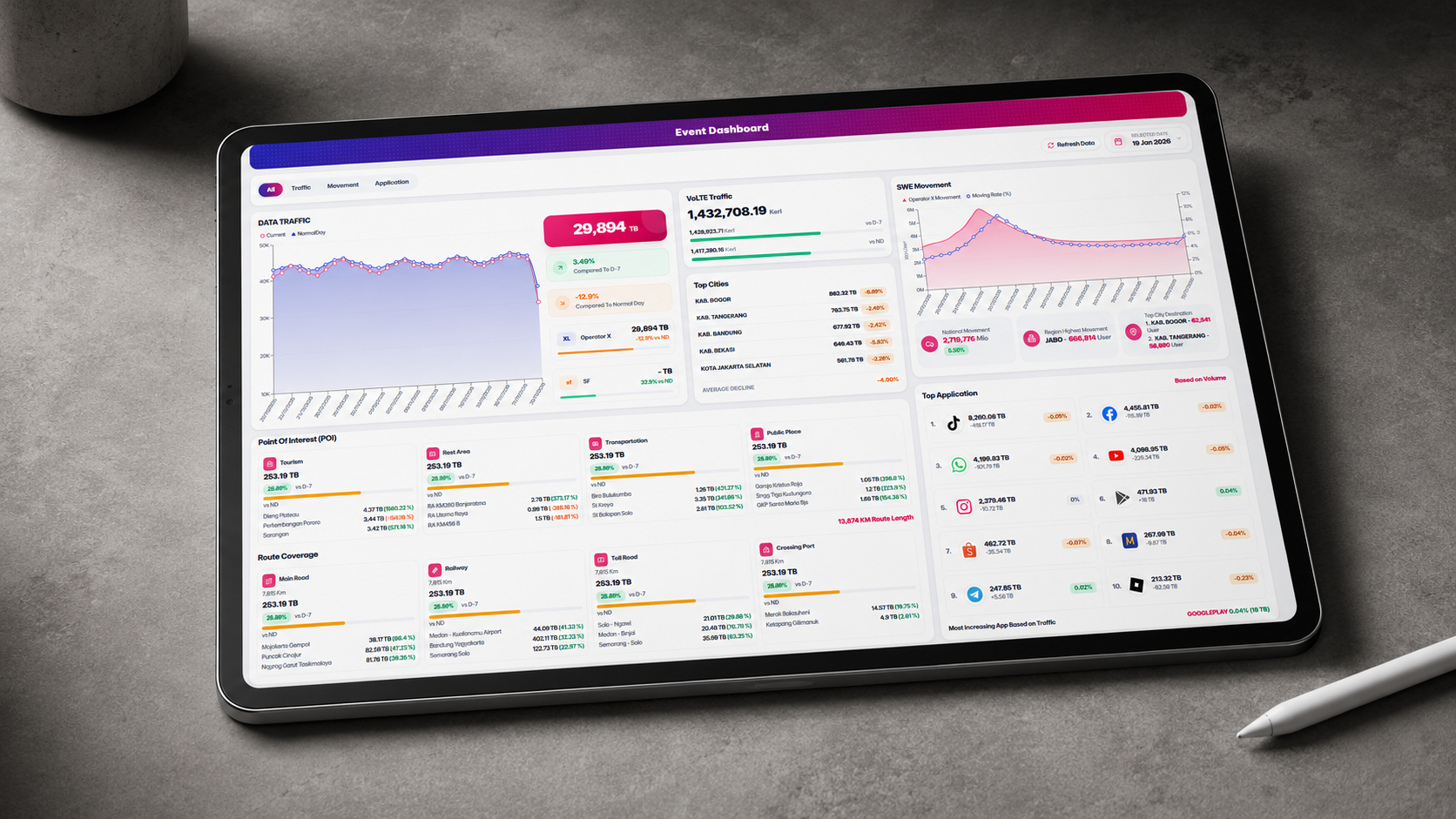
Analytics Dashboard / Telco Operations
Event Dashboard
A responsive event monitoring dashboard for visualizing traffic volume, movement, POI activity, route coverage, city performance, and top application usage in one executive-ready interface.
View Case Study